WINDOWS UTILITY · v26.10.16

Paste fails.
Typing works.

KeyPaste retypes clipboard text as physical keystrokes, so consoles that block paste still receive it.

Signed builds · Windows x64 · Self-contained, no .NET install · No account required

KEYPASTE / COMMAND PALETTE
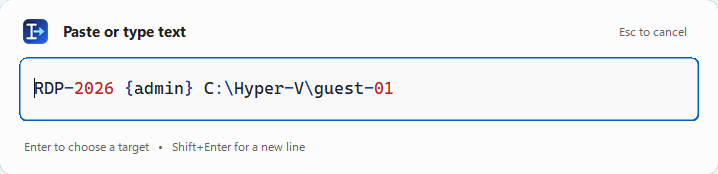
KeyPaste command palette with text ready to send to a remote console
YOUR TEXTTHE REMOTE CONSOLE
Text goes in. Keystrokes come out.
For the consoles where clipboard paste is blockedRDPHyper-VVMwareRemote support

01 / THE IDEA

Get text into
the hard places.

When a console blocks clipboard paste, KeyPaste uses the active keyboard layout to send physical key events. The destination sees typing.

  1. 01

    Open KeyPaste

    Press the default shortcut Ctrl+Alt+Shift+V from any application. The palette opens with your clipboard text already selected — type to replace it, or press Ctrl+V to paste something else.

  2. 02

    Choose the target

    Press Enter to arm targeting, then click the field that should receive the text. Press Esc to cancel. If the console needs activation clicks, set Clicks to fire to 2–4 in Settings; the default is one click.

  3. 03

    Let it type

    The whole string is checked against your active keyboard layout before the first keystroke, so an unsupported character raises an error instead of a half-typed paste. The text then types into the target, up to the paste limits — 30 seconds by default.

02 / BUILT FOR REAL CONSOLES

Small tool.
Careful work.

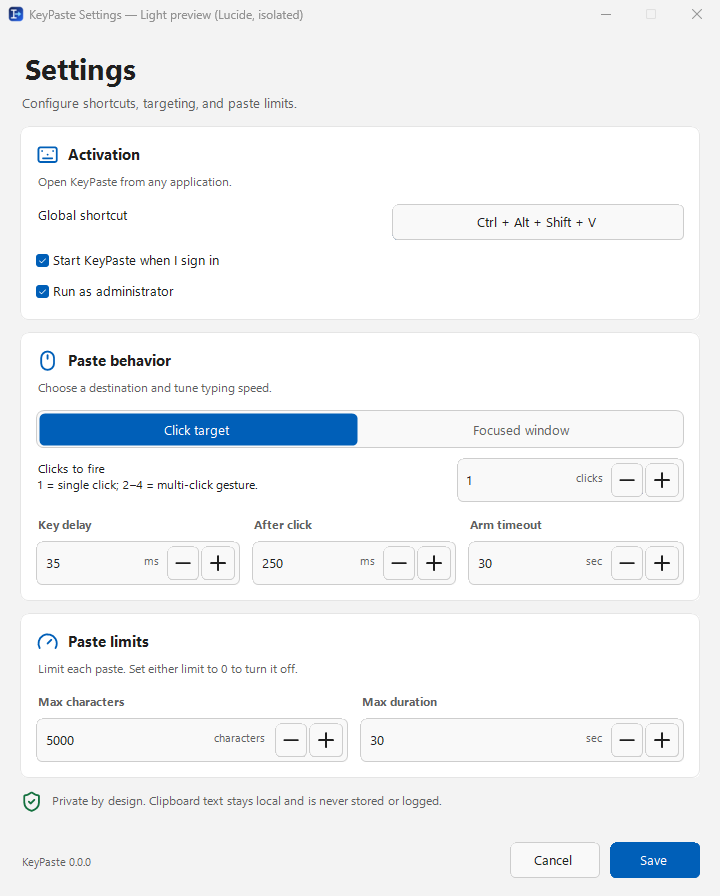
Tune key delay, click delay, and paste limits for slow transports. KeyPaste handles keyboard layout, modifiers, and key release, and releases everything on cancel or timeout.

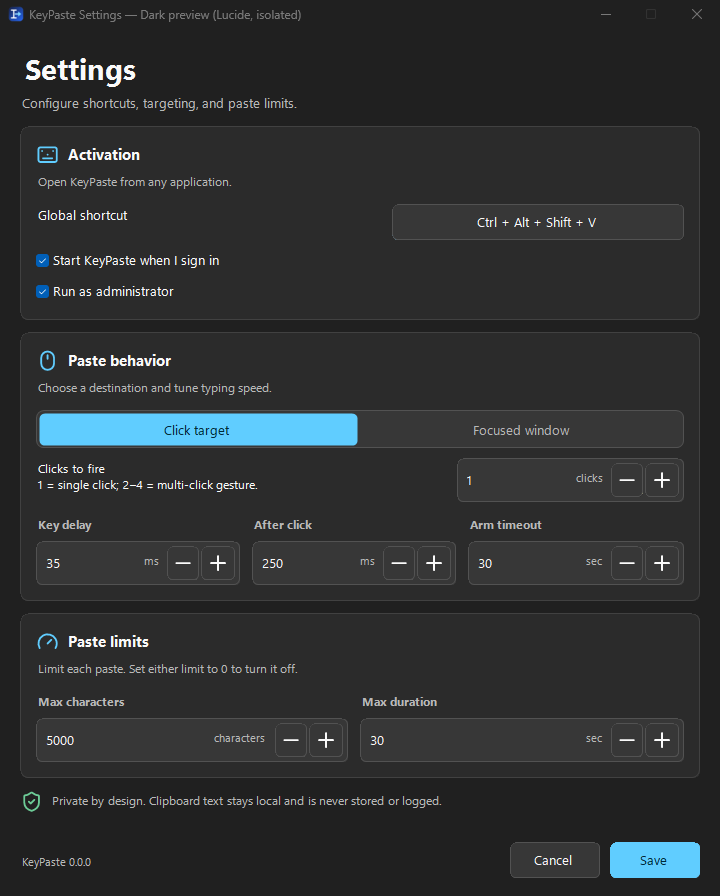
Settings stays compact on wide monitors, scales with DPI, and scrolls on short displays while keeping Save and Cancel in reach. Numeric fields get large themed steppers; the palette follows your Windows app theme.

Read the user guide
KeyPaste settings window in the light theme, showing the Activation, Paste behavior, and Paste limits sections with large minus and plus steppers
Light theme. Compact by default.
The same KeyPaste settings window in the dark theme, with themed stepper buttons and scrollbar
Dark theme. The same controls in your Windows colors.

03 / YOUR TEXT STAYS YOURS

Local by design.

KeyPaste does not send your text to a server, store a history, or take screenshots. It holds submitted text in memory while it types.

Read the security model
01No network client
02No text history
03Signed release

04 / GET KEYPASTE

Ready to type?

Both packages are Windows x64 builds with the .NET runtime included. When Run as administrator is enabled, normal launches request UAC approval. Settings controls elevation and startup; sign-in startup uses a per-user scheduled task.

NO INSTALL

Portable copy (.ZIP)

Extract it anywhere and run LISSTech.KeyPaste.exe. Nothing is installed and no sign-in task is registered, so set startup from Settings after the first launch.

Download the .ZIP win-x64 .zip · self-contained · v26.10.16